

Filing taxes can feel like dodging landmines—forms, deadlines, and surprise charges. If you’re wondering how to avoid tax filing fees and file at no cost in 2025, you’re not the only one. As a U.S. taxpayer filing 2024 taxes in 2025, a few small choices can keep your costs at zero and your refund intact. Sarah, a freelancer, saved $50 last year just by skipping a refund transfer. This guide walks you through real examples, simple fee-free paths, and a quick Tax Filing Fee Risk Quiz so you can see what’s most realistic for you. If you also want to see how taxes connect to long-term saving, you can skim our retirement account guide for 401(k)s, Roth IRAs, and more.
Editor’s note: Over the last few seasons, I’ve tried tools like TurboTax, Cash App Taxes, and FreeTaxUSA myself. The biggest surprise cost for me was the refund transfer fee—once I switched to paying upfront, my “free” return actually stayed free.
If you later decide that DIY filing isn’t the right fit, you can also talk to a tax pro online for extra guidance.
Tax Filing Fee Risk Quiz
Pick your AGI, complexity, and software—no personal data. Answer a few quick questions to see realistic ways to avoid or reduce tax filing fees before you hit “submit.”
This post contains affiliate links. If you buy through our links, we may earn a commission at no extra cost to you. Learn more.
Table of Contents
- Tax Filing Fee Risk Quiz
- The 5 Verified Ways to Avoid Tax Filing Fees in 2025
- Why You Can Save on Tax Filing Costs in 2025
- Understand Tax Filing Costs
- Using IRS Free File to Avoid Fees
- Free Tax Software Options
- Dodge Hidden Charges
- Avoiding the TurboTax Refund Fee
- Open-Source Tax Software
- How to Choose Your Best Free Filing Option
- When It’s Worth Paying a Tax Pro
- Frequently Asked Questions
- Summary
Key Takeaways: 5 Fee-Free Filing Paths
- IRS Free File — Guided software (if your AGI is roughly $84k or less; check the current limit on IRS.gov).
- Free File Fillable Forms — Any AGI; DIY federal filing.
- Cash App Taxes — Free federal + state for most simple returns.
- FreeTaxUSA — Free federal; state is low-cost (often under $20).
- OpenTaxSolver — Free, open-source (best for tech-comfortable filers).
In the sections below, we break these paths down in plain language so you can match one to your situation in just a few minutes.
Case Study: Sarah’s Fee-Free Filing Success
Sarah, a part-time graphic designer, used to spend $40 on a “free” version due to a refund transfer fee. In 2024, she switched to IRS Free File, paid upfront with a debit card, and filed both federal and state returns at no cost. “It was so simple,” she shares. She also adopted basic penalty-avoidance habits.
The 5 Verified Ways to Avoid Tax Filing Fees in 2025
1) IRS Free File — Guided Software
Partner offers for eligible filers; step-by-step assistance.
- Verification: Access via the IRS link so the offer applies.
- Best for: AGI ≲ ~$84,000 and typical W-2/credit situations.
2) IRS Free File — Fillable Forms
Electronic versions of IRS forms; no income cap.
- Verification: No software guidance; you fill forms yourself.
- Best for: Experienced filers comfortable with IRS instructions.
3) Cash App Taxes
Free federal and state filing for most straightforward returns.
- Verification: Check supported forms before you start.
- Best for: Simple returns (W-2, common credits).
4) FreeTaxUSA (Free Edition)
Free federal filing; state filing typically adds a low fee.
- Verification: Federal = $0; state often extra—confirm in checkout.
- Best for: Filers fine with paying a little or filing state elsewhere.
5) OpenTaxSolver (Open-Source)
Community-maintained, no-cost tool (federal support; setup required).
- Verification: Download locally; no upsells or data tracking typical of commercial tools.
- Best for: Tech-comfortable filers with simple returns.
Why You Can Save on Tax Filing Costs in 2025
The frustrating truth is that many tax filing fees are optional. IRS Free File covers a big chunk of filers, some providers truly offer free tiers for simple returns, and most “extras” (like refund transfers) disappear once you choose to pay upfront instead of from your refund. You have more control than it first looks, especially if you’ve ever watched a “$0” return suddenly jump in price at the last screen.
Understand Tax Filing Costs
Small charges add up. Learning the fee types helps you spot and avoid them before checkout so you’re saying “yes” only to features you actually want.
Types of Fees That Increase Tax Costs
- Software Fees: Tiers increase with complexity.
- E-Filing Fees: Some vendors separate these—many include them.
- State Filing Fees: Watch for per-state charges.
- Add-on Fees: Audit defense, refund advances, premium support.
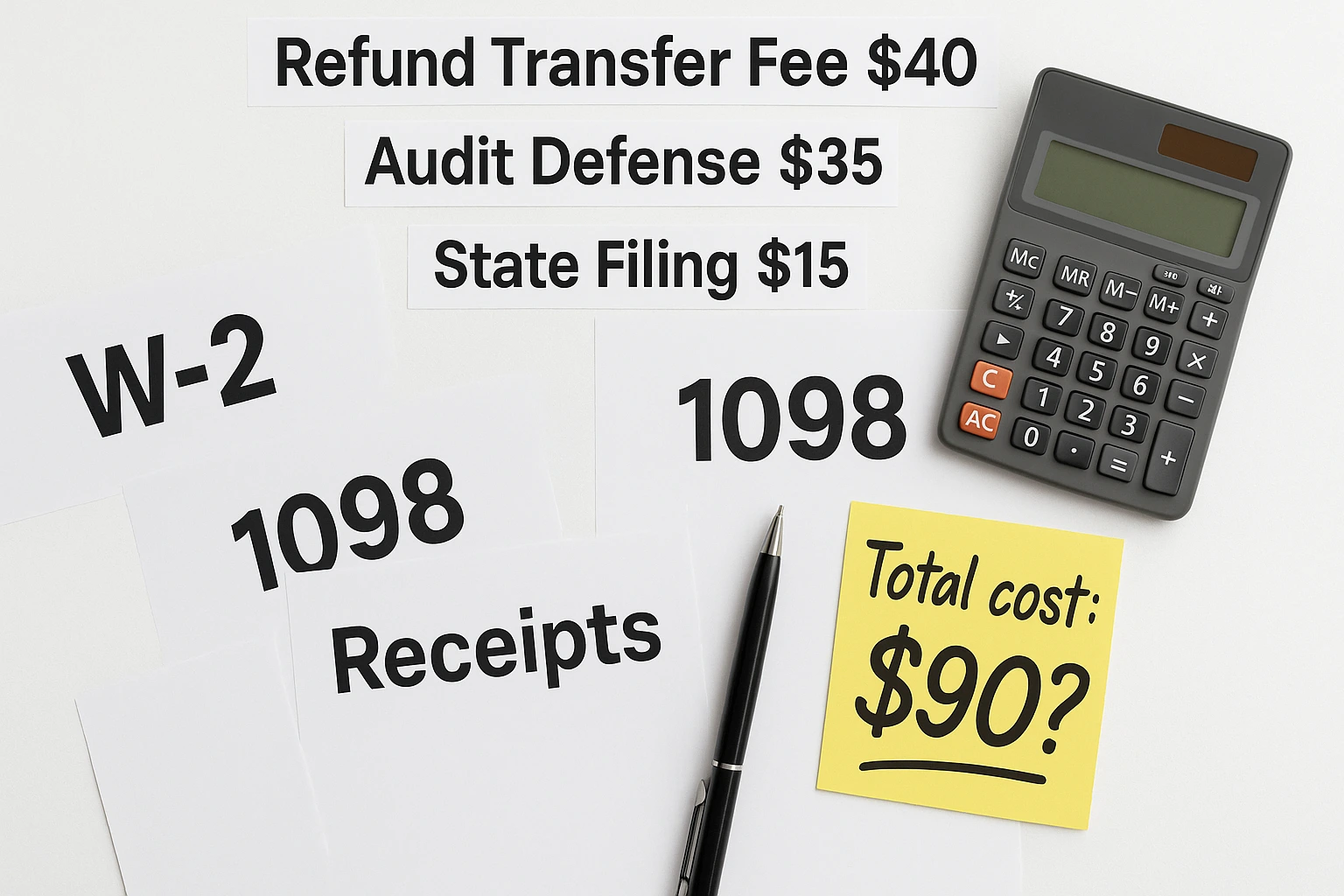
- Refund Transfer Fees: Deducting prep costs from your refund can add $30+.
“Knowledge is your shield. Knowing fee types helps you cut costs.”
Using IRS Free File to Avoid Fees
The IRS Free File program, a partnership with tax software companies, is one of the easiest ways to file for free if you qualify. For 2024 taxes filed in 2025, that generally means having an adjusted gross income (AGI) of around $84,000 or less, but you should always confirm the current limit on IRS.gov.
Who Qualifies for the Free File Program?
Eligibility depends on your adjusted gross income (AGI). For 2024 taxes (filed in 2025), the IRS Free File limit is generally around $84,000 or less. If you’re under that threshold, you can usually use this IRS program. Because income limits can change, always confirm the current details on the official IRS Free File page before you file.
If this is your first time doing your own return, our beginner’s guide to filing taxes walks through the basics before you choose software.
Steps to Access the Program
- Visit the program page on IRS.gov.
- Browse participating providers’ offers.
- Choose a provider matching your AGI and needs.
- Access the software via the IRS link to ensure it’s free.
- File your federal return following the software’s guide.
Tax rules and income limits can change; always confirm the latest details on IRS.gov or with a tax professional before you file.
IRS Free File Options
| Feature | Free File Guided Tax Software | Free File Fillable Forms |
|---|---|---|
| Software Guidance | Yes | No |
| AGI Requirement | Yes (~$84,000) | No |
| State Returns | Varies by provider | No |
| Best For | Most taxpayers | Experienced filers |
| Quick Eligibility | AGI ≤ ~$84,000; confirm provider/state availability | Any AGI; federal only; DIY |
Free In-Person Tax Help (VITA and TCE)
Many taxpayers who meet income, age, or disability criteria can also get no-cost, in-person help through IRS-sponsored Volunteer Income Tax Assistance (VITA) or Tax Counseling for the Elderly (TCE) programs. These sites are run by trained volunteers and can be a good option if you qualify and prefer face-to-face help instead of software.
Check for local VITA or TCE sites on an official government site when tax season opens to see if you qualify and what documents you’ll need.
Free Tax Software Options
If you miss the Free File cutoff, the right free filing software can still handle a simple return without surprise costs. Maybe you only have one W-2 and a small refund; in that case, the goal is simply to avoid paying $40–$70 for something a free plan can do. Take a minute to see what each tool does and doesn’t cover before you start.
Micro-action: Today, pick one free tool from the list below and check its “supported forms” page before you create an account.
Limits of Free Plans
Free tiers suit W-2 income and the standard deduction. Self-employment, rental income, or complex credits often require upgrades.
Top No-Cost Tax Software Picks
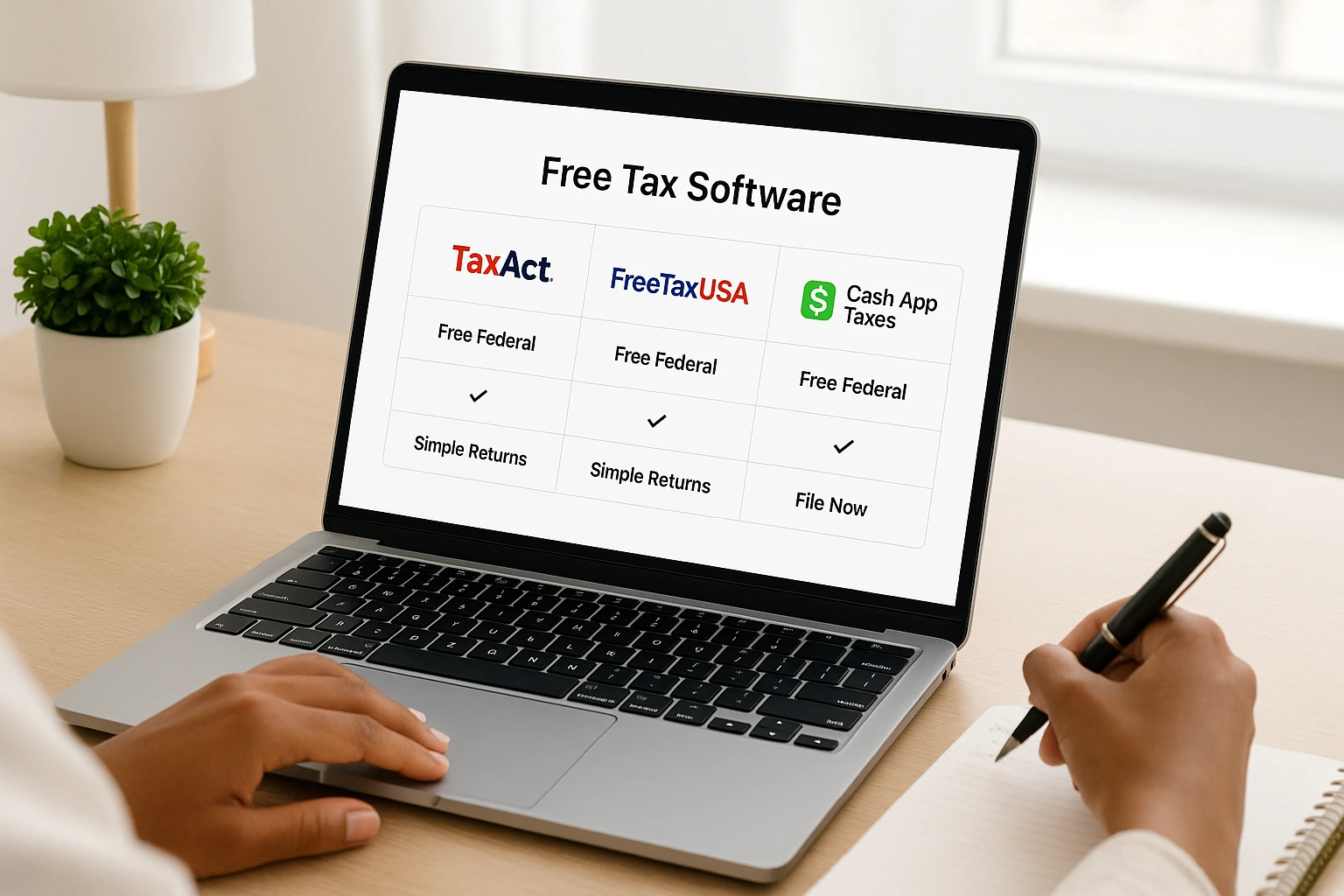
- TaxAct Free: Covers W-2 income, standard deduction, basic credits.
- FreeTaxUSA Free Edition: Free federal filing; state filing is typically low-cost (often under $20).
- Cash App Taxes: Free federal and state filing for most scenarios.
Dodge Hidden Tax Filing Charges ⚠️
Hidden fees can sneak in at checkout—be ready to decline them (see this explainer on refund processing fees). If you’ve ever clicked “next” a few times and seen your total jump from $0 to $70+, you’ve probably run into one of these upsells.
Upgrade Triggers
- Self-Employment Income: Schedule C typically needs a paid tier.
- Itemizing: Itemized deductions often require an upgrade.
- Complex Credits: Certain credits may be paywalled.
How to Sidestep Add-ons
- Refund Transfers: Choosing to pay from your refund can add an extra refund-processing charge from your provider (for example, TurboTax) of around $40 (a bit more in some states).
- Audit Defense: Consider whether you need it; standard support may suffice.
- Premium Support: Use free help/knowledge bases first.
- Data Backup: Export and save your files yourself.
Pro tip: Start on the free tier and review terms before entering payment info.
Avoiding the TurboTax Refund Fee
The TurboTax refund fee, a refund processing charge typically about $40 (and a bit higher in some states), shows up when you choose to have fees taken from your refund instead of paying upfront. To skip it, pay with a debit or credit card instead. Free alternatives like the IRS Free File program or Cash App Taxes avoid this extra charge entirely—see the FAQ for quick steps.
Open-Source Tax Software
For tech-savvy filers, open-source tools provide a free, transparent option—best for simple returns.
Benefits
- Zero Cost
- Transparent Code
- Privacy-Focused
Challenges
- Less polished UX
- Community-based support
- Some setup required
Top Open-Source Tools
- OpenTaxSolver: Java-based; federal returns.
- Python Tax: Library for coders.
How to Choose Your Best Free Filing Option
Still not sure where to start? Use this quick cheat sheet to narrow things down:
- W-2 only, AGI under ~$84,000: Start with IRS Free File guided software and see if your state return is included.
- Side gig or self-employment but you’re comfortable with software: Compare FreeTaxUSA and Cash App Taxes; make sure your schedules and credits are supported before you enter everything.
- Privacy-focused and tech-comfortable: Try OpenTaxSolver so your data stays on your own machine.
- Already halfway through TurboTax: Decide if switching is worth your time. If you stay, pay upfront with a card to avoid the refund-processing fee.
If you’re also tightening your budget this year, pair your filing choice with a simple plan for how you’ll use your refund (or lower tax bill)—for example, paying down one high-interest debt first, then boosting your emergency fund. If you want help deciding where to start, our guide to debt management can show you how to prioritize your balances.
When It’s Worth Paying a Tax Pro Instead of Filing Free
Free tools are great, but there are situations where paying a qualified tax professional can easily save you more than their fee.
- Very complex returns: Multiple rentals, K-1s, business ownership, or major investment activity.
- Big life changes: Divorce, large inheritance, selling a business, or big stock sales.
- IRS letters or past issues: If you’re already getting notices and feel overwhelmed, professional help can reduce stress and mistakes.
- No time or energy: If you realistically won’t finish on your own, paying someone once may be cheaper than extensions, penalties, or missed credits.
If these situations sound familiar, here’s a calm online way to get guided tax help:
If any of these apply, use this guide to understand the fees you’re seeing, then lean on a tax pro to make sure your return is accurate and optimized for your situation. If you prefer online help instead of a local office, our Tax Expert Now review covers one affordable option.
Micro-action: If you suspect your situation is “too much” for free software, shortlist two local or virtual tax pros today and ask for a quick price estimate before tax season gets busy.
Frequently Asked Questions
Summary
Think of this as a “keep it free in 3 steps” plan: choose the right free path for your situation, say no to unnecessary add-ons at checkout, and double-check that any fee you do pay is something you truly want.
To avoid tax filing fees and keep filing costs at zero in 2025, pick one of the five verified paths that fits your situation: IRS Free File (Guided or Fillable), Cash App Taxes (free federal + state for most simple returns), FreeTaxUSA (free federal; check the state fee), or OpenTaxSolver (open-source). Say no to add-ons like refund transfers, pay upfront when you can, and use the Tax Fee Risk Quiz for a quick reality check before you finish filing.
This guide is for general information and education only and does not constitute tax, legal, or financial advice. Individual tax situations and results can vary widely. Always consult a qualified tax professional about your specific situation before filing or making financial decisions.

